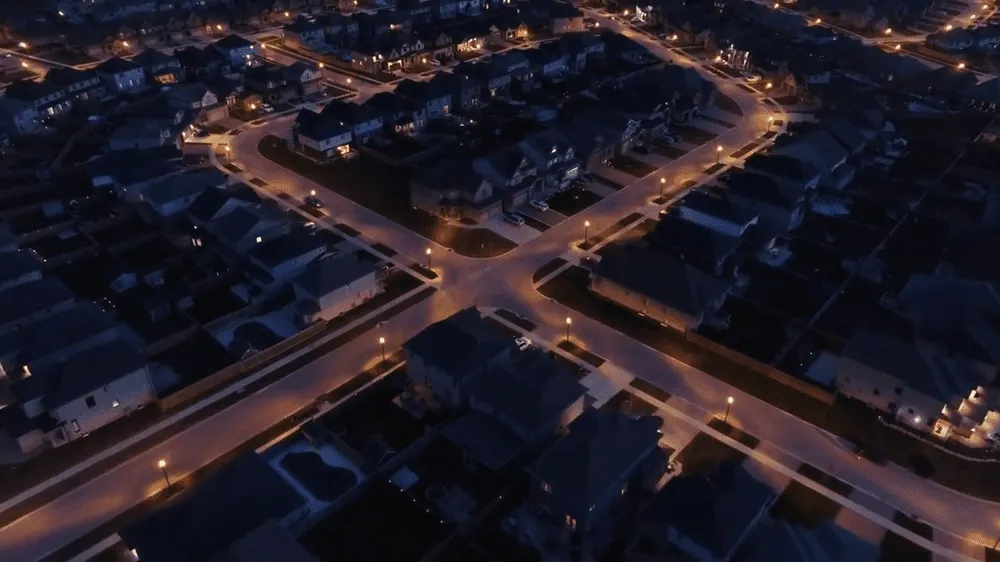
Live Demo - Interactive Lighting Simulation

Open Solar Design Live Demo is an interactive solar lighting simulation and control demonstration system that allows users to remotely control virtual ESP32 devices via a web interface, experiencing authentic lighting management functions. The system adopts a decoupled front-end and back-end architecture, where the front-end provides an intuitive operating interface and the back-end synchronizes device statuses in real time through WebSockets, helping clients quickly understand our product features and technical capabilities.
1. User Authentication System
The system provides complete user login and session management functions to ensure the secure and orderly use of the demonstration environment.
1.1 Login Feature
- - Account Login: Supports default username/password authentication
- - Intelligent CAPTCHA: Click on the designated number to complete verification, preventing automated script attacks
- - Session Status Management: Detects account occupancy status in real time and displays the remaining available time
- - Automatic Status Detection: Automatically checks the login status of the default user when the page loads
2. Lighting Device Control
The device management page provides comprehensive lighting device control functions, supporting device switching, brightness adjustment, and device management.
2.1 Device Switch Control
- - One-Click Toggle: Controls device ON/OFF status via a Toggle switch
- - Instant Synchronization: Status changes are pushed to the server and the device side in real time
- - Device List: Displays all added lighting devices along with their current statuses
2.2 Brightness Percentage Adjustment
- - Numeric Input: Supports 0-100% brightness adjustment
- - Real-Time Feedback: Displays the current brightness value
- - Persistent Storage: Brightness settings are saved to the database
2.3 Device Management
- - Add Device: Enter device ID and initial status (matrix customization)
- - Device List: Click on list items to view and edit device details
3. Operating Mode Configuration
Intelligent lighting strategy configuration, supporting custom settings for multiple operating modes.
3.1 Configuration Parameters
- - Lighting Duration: Lighting duration (supports Dusk to Dawn 14 hours or 1-24 hours)
- - Initial Full Brightness: Initial full brightness duration (1-4 hours)
- - DIM Brightness: Low brightness percentage (30%-70%)
- - Pre-Dawn Full Brightness: Full brightness duration before dawn (1-3 hours)
3.2 Mode Results Display
- - Mode Format: For instance, D2D-2hr/50%/2hr represents Dusk to Dawn mode, full brightness for the first 2 hours, 50% brightness during the middle period, and full brightness for 2 hours before dawn
- - Real-Time Update: Calculations are performed instantly and mode results are displayed immediately after configuration changes
4. Time Line Visualization
The real-time timeline displays the execution progress and status of the lighting plan.
4.1 Timeline Features
- - Time Axis Display: Displays the lighting plan on an hourly basis
- - Countdown Display: Remaining time for the current hour
- - Brightness Status: Preset brightness for each time slot
- - Active Status: Actual brightness of the activated time slot
- - Manual Override: Manual setting value for the current time slot
- - Auto-Scroll: Automatically scrolls to the current hour
5. ESP32 Text Message
Supports sending remote text messages to ESP32 devices.
5.1 Messaging Feature
- - Text Input: Supports text input of up to 42 characters
- - Message Delivery: Click send or press Enter to push messages to the ESP32
- - History Log: Displays all sent messages along with their timestamps
6. Video Demo Playback
The main page integrates a YouTube video demonstration to showcase system functionalities.
6.1 Video Features
- - YouTube Video Embedding: Displays the Live Demo functionality demonstration video
- - Click to Play: Click the play button to start playback
- - Full-Screen Support: Supports full-screen viewing
- - Close Feature: Click the close button to stop playback and hide the player
7. ESP32 Device-Side Functionality
The hardware simulation layer runs on the ESP32 device to achieve device control and communication.
7.1 Core Functions
- - WiFi Connection: Automatically connects to the configured WiFi network
- - OLED Display: Displays device status, messages, and operating modes in real time
- - WebSocket Communication: Establishes a two-way real-time connection with the server
- - Status Management: Maintains device operating status and configuration information
- - HTTP Polling Fallback: Automatically switches to HTTP polling when the WebSocket disconnects
8. Technical Characteristics
8.1 Real-Time Communication
- - WebSocket Push: Real-time pushing of changes such as device status, brightness, and operating modes
- - Heartbeat Detection: Regularly checks connection health status
- - Automatic Reconnection: Automatically attempts to reconnect after a connection disconnection
8.2 Multi-Device Support
- - Device ID Identification: Each device has a unique identifier
- - Multi-User Isolation: Different users manage different devices
- - Session-Level Storage: Device statuses remain synchronized during the session period
8.3 Security
- - Login Authentication: Username/password verification
- - CAPTCHA Protection: Prevents automated login attempts
- - Session Timeout: Automatically logs out after 5 minutes of inactivity
- - Device Occupancy Detection: Prevents multiple users from operating the same device simultaneously
9. Workflow Process
- - Step 1: Visit the main page [http://www.opensolardesign.com/live-demo/live-demo]
- - Step 2: Enter the login page, input the default username and password
- - Step 3: Click on the designated number in the CAPTCHA to complete verification
- - Step 4: Access the management homepage upon successful login
- - Step 5: Control device switches and adjust brightness in the Lights module
- - Step 6: Configure the operating mode (lighting duration, initial full brightness duration, low brightness, etc.)
- - Step 7: View the Time Line to understand the execution progress of the lighting plan
- - Step 8: Send text messages to the ESP32 device
- - Step 9: Watch the YouTube demonstration video to learn more about the functionalities
10. Future Extended Features
The current system has pre-reserved code frameworks for features such as voice interaction, servo control, and AI assistants (currently unenabled). In the future, the following capabilities will be progressively improved: batch management for multi-device groups, lighting data analysis visualization, mobile terminal operation experience optimization, as well as the introduction of technical characteristics including MQTT protocol, edge computing, device shadows, and OTA upgrades.
Conclusion
Open Solar Design Live Demo provides a minimalist and complete demonstration of a solar lighting control system, covering the entire workflow from user authentication, device control, operating mode configuration to real-time status monitoring. Utilizing a modern web technology stack, the system achieves real-time communication via WebSockets to deliver a smooth interactive experience for users. The current system has pre-reserved code frameworks for features such as voice interaction and servo control, allowing for further expansion of intelligent capabilities in the future.